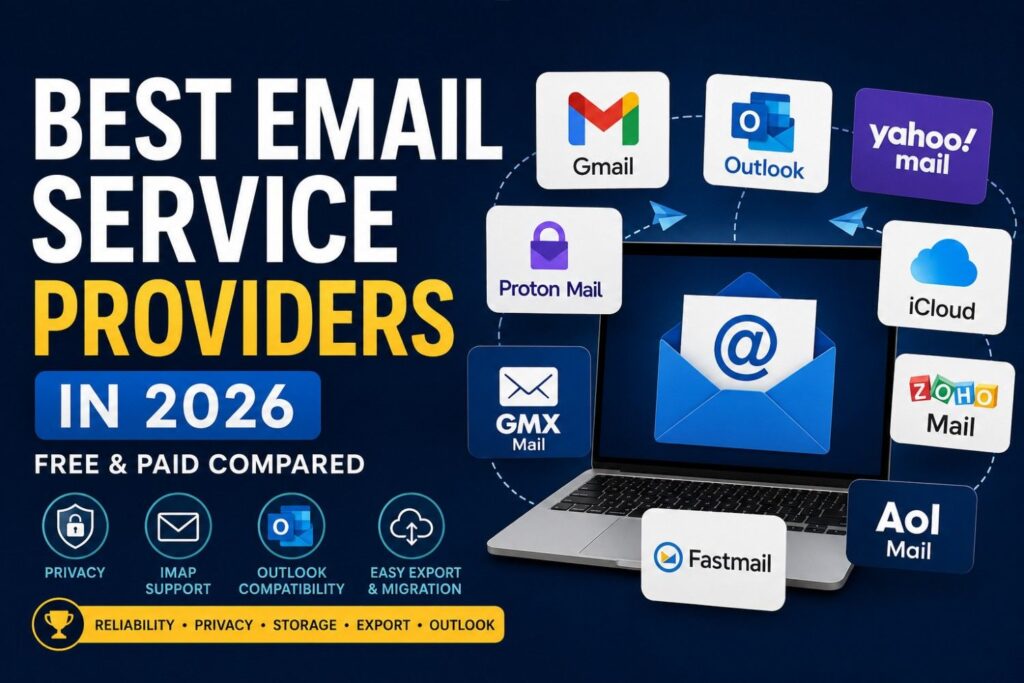
Choosing an email provider in 2026 involves considerably more than picking the one with the cleanest interface. The questions that matter for long-term and professional use are practical ones: Does the provider support IMAP reliably? Can you connect it to Microsoft Outlook? Can you export your emails if you ever need to leave? What happens to your inbox if the service shuts down, gets acquired, or changes its free tier?
This guide compares nine of the most widely used email service providers across the US, Canada, and Europe, focusing on reliability, privacy, Outlook compatibility, IMAP access, and — critically — how easy it is to move your mailbox data out when the time comes.
What we evaluate: Free storage · IMAP/POP support · Outlook compatibility · encryption · data export options · account transfer difficulty · regional privacy compliance
Table of Contents
How We Evaluated These Providers
We assessed each provider across eight criteria:
- IMAP reliability and free-tier access
- Export flexibility and format support
- Outlook and desktop client compatibility
- Privacy practices and jurisdiction
- Long-term account portability
- Storage value relative to plan cost
- Mailbox transfer difficulty (in and out)
- Relevance for US, Canadian, and EU users
Best Email Provider by Use Case
| Best for | Provider | Why |
| Best overall | Gmail | Reliability, storage, ecosystem coverage |
| Best for business / Microsoft 365 | Outlook / M365 | Native PST, Exchange, Teams integration |
| Best for privacy | Proton Mail | End-to-end encryption, Swiss jurisdiction |
| Best for Outlook users | Microsoft 365 | Native client, zero configuration needed |
| Best for European users | GMX Mail | GDPR, German law, 65 GB free |
| Best for Apple users | iCloud Mail | Deep Apple ecosystem integration |
| Best for small business | Zoho Mail | Free custom domain, ad-free, SMB tools |
| Best for legacy US users | AOL Mail | Unlimited storage, familiar interface |
| Best for privacy + productivity | Fastmail | No ads, full IMAP/JMAP, easy mailbox export |
Quick Comparison Table
The Transfer difficulty column rates how straightforward it is to move your email out of each provider — a factor most email comparisons skip entirely.
| Provider | Free Storage | IMAP | Outlook | Encryption | Ads (free) | Transfer Difficulty | Best for |
| Gmail | 15 GB | Yes | Good | TLS | Yes | Easy | General use |
| Outlook.com | 15 GB | Yes | Native | TLS | Yes | Easy | Microsoft users |
| Yahoo Mail | Unlimited | Yes | Good | TLS | Yes | Moderate | High volume / legacy |
| Proton Mail | 1 GB | Bridge only | Via Bridge | E2E | No | Moderate | Privacy-first |
| iCloud Mail | 5 GB | Yes | Manual setup | TLS | No | Difficult | Apple ecosystem |
| Zoho Mail | 5 GB | Paid only | Paid only | TLS | No | Easy | Small business |
| AOL Mail | Unlimited | Yes | Good | TLS | Yes | Moderate | Legacy US users |
| Fastmail | — | Yes | Good | TLS + JMAP | No | Easy | Privacy / pro users |
| GMX Mail | 65 GB | Yes | Good | TLS | Yes | Moderate | European users |
The Best Email Providers in 2026
1. Gmail
Best for: General use
Gmail, operated by Google, remains the world’s most widely used email service. The spam filtering is industry-leading, 15 GB of free storage is shared with Google Drive, and the platform integrates tightly with Google Workspace. For most everyday users — and particularly for US small businesses and Canadian professionals already in the Google ecosystem — Gmail’s reliability and breadth make it the sensible default.
From an account transfer and compatibility standpoint, Gmail is well-documented. Setting up Gmail in Outlook via IMAP is straightforward once you enable IMAP in Gmail settings and use an app password for two-factor authentication. Google’s Takeout tool allows a full mailbox export in standard MBOX format, which can be converted to PST for Outlook archiving. The main consideration is privacy — Google scans email metadata for advertising purposes, which is a legitimate trade-off for free users to understand. Backing up your Gmail mailbox regularly is advisable given that account lockouts do occur and appeal processes can be slow.
Strengths
- Best-in-class spam filtering
- 15 GB free storage
- Reliable IMAP support
- Google Takeout export (MBOX format)
- Strong Outlook compatibility
Weaknesses
- Metadata scanning for advertising
- Account lockouts difficult to reverse
- IMAP must be manually enabled in settings
Transfer & export: IMAP · MBOX export · PST convertible · Google Takeout
2. Outlook.com / Microsoft 365
Best for: Microsoft users & business
Microsoft’s email ecosystem is the strongest choice for anyone already operating inside Microsoft 365. Outlook.com is the free web version; a Microsoft 365 subscription adds Exchange-based email hosting with a custom domain, 50 GB+ of mailbox storage, and enterprise compliance features. For US and Canadian businesses, M365 is the dominant standard — its integration with Teams, SharePoint, and OneDrive makes it the natural anchor of any Microsoft-centric workplace.
Outlook’s IMAP support is solid, and configuring Outlook for other accounts — including Gmail and Yahoo — is well-documented. On the export side, Outlook supports PST files natively, making it the most portable format for long-term email archiving and legal holds. Microsoft 365 mailbox backup and Office 365 account transfer workflows are mature and supported by a wide ecosystem of third-party tools. This is the provider with the deepest support infrastructure for serious mailbox management.
Strengths
- Native Outlook client integration
- PST export support — industry standard
- Best-in-class compliance tools (M365)
- Reliable IMAP and Exchange protocols
Weaknesses
- Free tier has storage limits
- Full business features require M365 subscription
- Interface complexity for casual users
Transfer & export: IMAP · PST native · Exchange · Office 365 migration
3. Yahoo Mail
Best for: Legacy & high-volume storage
Yahoo Mail’s unlimited storage makes it a practical option for users receiving large volumes of email who don’t want to manage quotas. IMAP is enabled by default, and Yahoo connects reliably with Outlook when configured using the correct Yahoo IMAP settings. For casual personal use in 2026 — particularly among the significant base of long-term Yahoo users in the United States — the service remains functional and familiar.
That said, Yahoo carries real long-term risks worth understanding. The service has experienced some of the largest data breaches on record, its ownership has changed multiple times under Yahoo Inc., and its product roadmap is uncertain. Users with years of email history in Yahoo should consider backing up Yahoo Mail to PST as a precaution — particularly before any account transfer. Yahoo does not make full mailbox export intuitive by default, which is the primary reason its transfer difficulty rating is moderate rather than easy.
Strengths
- Unlimited free storage
- IMAP enabled by default
- Reliable Outlook compatibility
Weaknesses
- Major historical data breaches
- Uncertain long-term ownership
- Ad-heavy interface
- Bulk export not self-evident
Transfer & export: IMAP · PST export via IMAP · Yahoo backup guide
4. Proton Mail
Best for: Privacy
Proton Mail is the most credible privacy-focused email option available. Developed by Proton AG and based in Switzerland, it uses end-to-end encryption by default, meaning even Proton cannot read your messages. There are no ads, no metadata scanning, and the service falls under Swiss privacy law rather than EU or US jurisdiction. For users in the UK, Germany, Netherlands, France, and Canada handling sensitive communications, it is the standard recommendation.
The trade-off is compatibility. Proton Mail does not natively support IMAP — you need the Proton Bridge desktop application to connect it to Outlook or other email clients, which is a paid feature. Free accounts are limited to 1 GB storage and one address. For EU users especially, Proton’s combination of GDPR-aligned design and genuine end-to-end encryption makes the paid plan worth considering for professional email.
Strengths
- End-to-end encryption by default
- Swiss jurisdiction — not EU or US law
- No ads, no metadata scanning
- GDPR-compliant by design
Weaknesses
- IMAP only via Bridge (paid feature)
- Free tier limited to 1 GB
- Smaller ecosystem than Google/Microsoft
Transfer & export: IMAP via Bridge · Import/Export tool · MBOX export
5. iCloud Mail
Best for: Apple ecosystem users
iCloud Mail, operated by Apple, is a natural fit for users deeply invested in the Apple ecosystem — it integrates seamlessly with Mail on macOS and iOS, and the interface is clean and minimal. Apple provides 5 GB free (shared across all iCloud services), with paid tiers available through iCloud+.
The main limitation outside Apple’s ecosystem is interoperability. Connecting iCloud Mail to Outlook requires manual IMAP configuration and generating an app-specific password — a non-trivial step for less technical users. Exporting iCloud email for an account transfer is notably difficult: Apple provides no bulk mailbox export tool, and the process typically requires third-party IMAP transfer software. If you ever need to move your iCloud email to another provider, plan for it to take time and preparation.
Strengths
- Seamless Apple device integration
- No ads
- Reliable iOS and macOS experience
Weaknesses
- Only 5 GB free storage
- Outlook setup requires app-specific password
- No bulk export tool — hardest provider to leave
Transfer & export: IMAP · No native bulk export · Third-party IMAP transfer required
6. Zoho Mail
Best for: Small business
Zoho Mail, developed by Zoho Corporation, is purpose-built for small and medium businesses wanting professional email without the cost of Microsoft 365. The free Forever plan supports up to five users with 5 GB per user and includes custom domain email — something neither Google nor Microsoft offers for free. The interface is clean, ad-free, and Zoho integrates with its broader suite of CRM, project, and productivity tools.
The key limitation to know before committing: IMAP and POP3 access are only available on paid plans. Free Zoho users are restricted to the webmail interface. For US small businesses planning to use Outlook as the primary client, a paid Zoho subscription is required. On the export side, Zoho provides full mailbox export in standard formats, making account transfers straightforward if you eventually move to a different platform.
Strengths
- Free custom domain email (up to 5 users)
- No ads, even on the free plan
- Strong SMB ecosystem integration
- Clean export and transfer options
Weaknesses
- IMAP locked to paid plans
- Outlook requires paid subscription
- Less brand recognition than Google/Microsoft
Transfer & export: IMAP (paid) · EML/MBOX export · Transfer tool included
7. AOL Mail
Best for: Legacy US users
AOL Mail has a large and loyal user base in the United States, particularly among older demographics who have used it for years. The service offers unlimited storage, reliable uptime, and consistent IMAP support — it connects well with Outlook when configured using the correct AOL IMAP settings. For users who have no pressing reason to change providers, it remains a stable and familiar choice.
AOL and Yahoo Mail share infrastructure under Yahoo Inc., which means they share both the benefits of scale and the same ownership uncertainty. If you have significant email history in AOL, the same precaution applies as with Yahoo — transferring your AOL mailbox to a more stable platform, or creating a local backup, is worth considering as insurance against future service changes.
Strengths
- Unlimited storage
- Reliable IMAP support
- Familiar interface for long-term users
Weaknesses
- Shared ownership risk with Yahoo
- Limited modern features
- Ad-heavy interface
Transfer & export: IMAP · PST via IMAP transfer
8. Fastmail
Best for: Privacy & productivity
Fastmail is a paid-only provider that has earned strong loyalty among privacy-conscious professionals and power users. Based in Australia and operating under Australian law, it offers full IMAP and JMAP support, fast search, custom domain hosting, and a subscription-only business model with no advertising. It is particularly well-regarded for users running their own domain who want an Outlook-compatible email backend that isn’t Google or Microsoft.
Because Fastmail is paid from the start, there’s no free tier to evaluate. Plans start at around $3/month billed annually. The account retention situation is excellent — standard IMAP access and EML download make any future mailbox transfer away from Fastmail straightforward, with no proprietary lock-in.
Strengths
- No ads, subscription-funded only
- Full IMAP + JMAP support
- Excellent Outlook compatibility
- Easy in and out — no lock-in
Weaknesses
- No free tier
- Fewer integrations than Google/Microsoft
Transfer & export: IMAP · JMAP · EML download · No lock-in
9. GMX Mail
Best for: European users (free)
GMX Mail is widely used in Germany, Austria, and Switzerland, operated by United Internet AG under German law. It offers 65 GB of free storage, full IMAP and POP3 access, and Outlook compatibility out of the box — with no subscription required. For European users wanting a free provider with genuine data protection credentials, GMX is a strong option that doesn’t require the Google or Microsoft ecosystem.
GMX’s privacy posture is better than Yahoo or AOL, but it does serve contextual advertising on the free tier. Its export options are standard IMAP-based, meaning transfers out are not blocked, though there’s no dedicated built-in export wizard.
For European users: GMX operates under German data protection law and GDPR. Servers are located in Germany. For UK, German, Dutch, and French users who prioritise keeping data within European jurisdiction, GMX (free) and Proton Mail (paid) are the most credible options available.
Strengths
- 65 GB free storage
- IMAP + POP3 included free
- German law / GDPR jurisdiction
- Solid Outlook compatibility
Weaknesses
- Ads on free tier
- Less known outside Europe
- No built-in export wizard
Transfer & export: IMAP · POP3 · IMAP transfer supported
Email Portability: The Risk Nobody Talks About
Most email comparison articles focus on storage and interface design. The question they skip is the one that matters most when something goes wrong: can you get your emails out?
Account portability risk is real. Yahoo has changed ownership multiple times. Google has shut down services with limited notice. Free storage tiers have been reduced without warning. Account lockouts — particularly for users who rarely sign in — can permanently cut off access to years of email history.
What portability actually means: A provider is portable if it supports IMAP export, offers a full mailbox download tool, and doesn’t create artificial barriers to leaving. Apple’s iCloud Mail has notable retention friction: no bulk export tool exists and a transfer requires third-party software. Gmail and Outlook, by contrast, offer clean exit paths — Takeout (MBOX) and native PST respectively.
If you store anything important in your inbox — contracts, receipts, correspondence — the safest practice is running periodic exports regardless of which provider you use. For most users, an annual IMAP backup or PST export is sufficient insurance against account loss.
Who Actually Owns Your Email Data?
The “free” in free email services refers to money, not control. When your email lives exclusively on a provider’s servers with no local backup, access is contingent on the provider’s continued operation, your account remaining in good standing, and the free tier remaining available. All three have failed users before.
Free-tier dependency Free tiers can be restricted, reduced, or eliminated. Google reduced the free Google Photos tier in 2021. Yahoo restricted certain features over time. If a provider changes its free tier, your options narrow quickly without a backup.
Account suspension risk All major providers can suspend accounts for terms of service violations, inactivity, or payment failures. Reinstatement is often slow or impossible. Long-inactive accounts at Yahoo and AOL are particularly vulnerable to recovery cutoffs.
Ecosystem lock-in Some providers make it easy to bring your data in and difficult to take it out. iCloud Mail is the clearest example. Providers with mature IMAP access and export tools — Gmail, Outlook, Fastmail — give you genuine ownership over your own email history.
The practical answer for US small businesses, Canadian professionals, and UK GDPR-conscious users alike is the same: treat email retention as infrastructure, not just communication. At minimum, know how to export your mailbox before you ever need to.
Email Provider Switching Checklist
Before switching providers — whether moving from Yahoo to Gmail, AOL to Outlook, or any IMAP-to-IMAP account transfer — work through these steps to avoid losing access to messages, contacts, or account recovery options.
- Export your existing emails. Use IMAP transfer software or your provider’s export tool to create a full mailbox backup in MBOX or PST format before making any changes.
- Verify IMAP is working on the new provider. Test a connection from Outlook or your email client before you decommission the old account.
- Update your account recovery email. Every service registered with the old address — banking, shopping, subscriptions — needs to be updated before you close the old account.
- Export and back up your contacts. Download contacts as a VCF or CSV file. Most providers allow this from their contacts or settings section.
- Set up forwarding from the old address. Configure the old account to forward incoming mail to the new address for a transition period of at least 30–60 days.
- Verify email filters and rules transfer correctly. Custom filters and rules are not automatically transferred during an IMAP account move — recreate them manually on the new provider.
- Test Outlook or desktop client connectivity. Confirm the new account loads correctly in any desktop client, including folder sync and sent-mail settings.
Frequently Asked Questions
Which email provider is best for privacy? Proton Mail is the gold standard, offering end-to-end encryption and Swiss jurisdiction. GMX and Fastmail are strong alternatives for European users concerned about GDPR compliance. Gmail and Outlook offer security but rely on ad or cloud business models that involve metadata access.
Which email works best with Outlook? Microsoft’s own Outlook.com and Microsoft 365 work natively without any configuration. Gmail and Yahoo also connect reliably via IMAP. AOL and iCloud require manual IMAP setup with app-specific passwords but both work reliably once configured.
Do all email providers support IMAP? Not all, and not always for free. Gmail requires IMAP to be enabled manually in settings. Zoho’s free plan restricts IMAP to paid accounts. Proton Mail requires the Bridge desktop app for IMAP access. Always verify IMAP availability before committing to a provider if you plan to use Outlook or another desktop client.
Can I migrate emails between providers? Yes. The standard method is IMAP-to-IMAP transfer, which moves messages while preserving folder structure. For larger mailboxes or Microsoft 365 transfers, exporting to PST format is more reliable and better preserves metadata and attachments throughout the process.
Which email provider offers the most free storage? Yahoo Mail and AOL Mail both offer unlimited free storage. Gmail and Outlook.com provide 15 GB free each. GMX offers 65 GB free. Proton Mail’s free tier is limited to 1 GB.
Is Yahoo Mail still good in 2026? For casual personal use, yes. Yahoo’s unlimited storage and reliable IMAP make it functional. However, its history of data breaches and uncertain ownership under Yahoo Inc. make it a poor long-term anchor for important email. If you’re a Yahoo user with years of inbox history, having a current backup is strongly advisable.
Can I keep my emails if I close my Yahoo account? Not automatically. You need to export your emails before closing the account — Yahoo does not archive them on your behalf. The safest approach is to complete a full IMAP transfer or export to PST before deactivating.